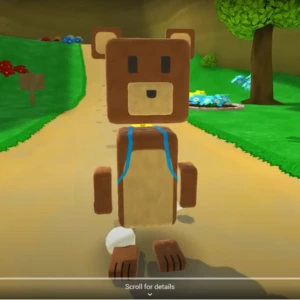

Download Super Bear Adventure Game On PC (Emulator) For windows & Mac
Play the Super Bear Adventure game on pc. Download the emulator by following the guide in the article, and then install the game by pressing the download button given. Descargar super bear adventure by following the steps.
Introduction
Do you want to go on an adventure? On a big emulator screen with the Super Bear developed by Earthkwak Games, but don’t know how to play on it. You don’t have to worry about it. I have a solution so you can enjoy it on an emulator (PC) screen. This adventure game is made for Android devices but you can also play it on an emulator (PC) by following the steps that are given in the article.

What Type Of Game is Super Bear Adventure?
This is an exploration game in which the main character, Baaren the Bear explores different areas to save his captured friends from the bees. This game includes different areas containing amazing mysteries. You can also see the Super Bear Adventure Walkthrough on YouTube, or to learn more about this game, click here. The features of the game include
- Puzzle-filled levels
- Vehicles for special tasks
- Hidden mysteries

Mobile VS PC Experience
Mobile
- Designed for the Smaller screen.
- Limited due to device resolution and hardware capabilities.
- Touchscreen controls that lack advanced movements.
- Suitable for playing anywhere.
PC
- Designed for a larger screen.
- A Large screen increases visual experience.
- Keyboard and mouse controls for more precise and customizable control.
- Requires a computer or emulator setup.
How To Play Super Bear Adventure On PC?
To download the game on PC and to increase the thrill of gaming, you have to do a couple of steps. You have to download an Android emulator to play the game. It is software that helps you play the game on a PC. There are many emulators that are popular, and very easy to use.
Popular Android Emulators
- BlueStacks (most popular)
- NoxPlayer
- LDPlayer
- MEmu Play
How To Download An Android Emulator
To download the emulator, choose any one of the emulators you want to download. For example, BlueStacks is a popular easy-to-use emulator that is regularly updated.
To Download It:
- Go to https://www.bluestacks.com.
- Click on the download button as shown in the image below.
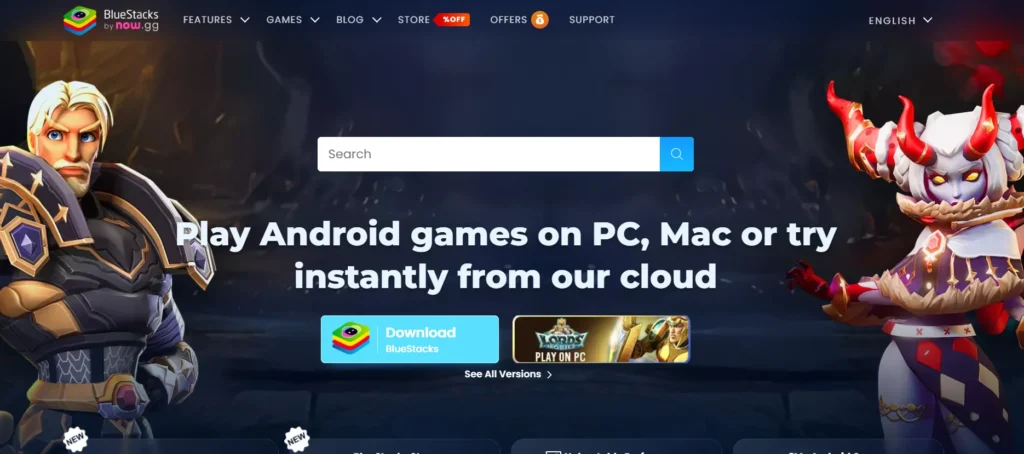
- After clicking on downloads your file will be downloaded.
- Go to downloads, and open the downloaded file
- Click on the install button to download it to your PC, as shown
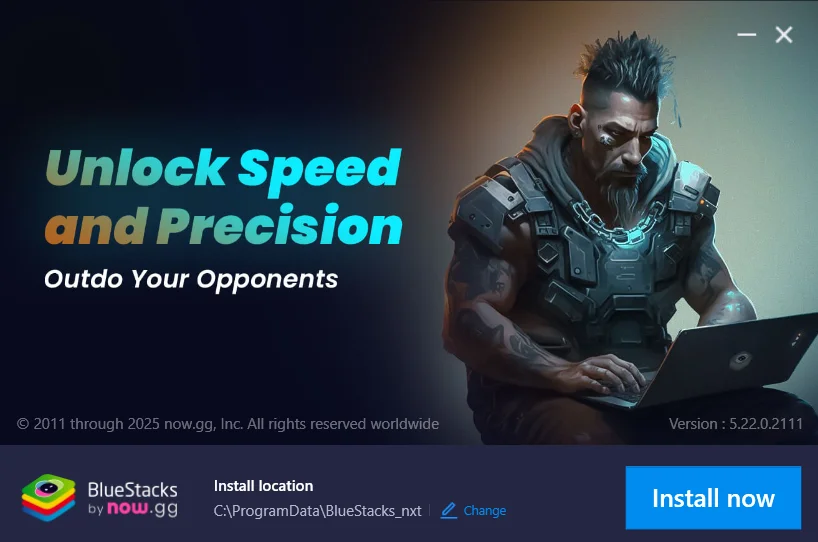
After downloading an emulator, Now you have to download the game by the button given below.
Descargar Super Bear Adventure PC
Always remember to download the mod APKs from trusted platforms to avoid malware.
To download the old versions click here
To Download For iOS click here
How to Run The Game After Downloading The Emulator
After downloading the BlueStacks and APK file, open the emulator and select install APK from the sidebar as shown.
After clicking on the button, select your file from the downloads to install it.
Your game will be installed. Click on the game and start your adventure.
Best Emulator For Super Bear Adventure
According to my experience, the best emulator to play an APK game on a PC is BlueStacks which is user-friendly and easy to use. BlueStacks is built for gaming and provides very smooth FPS (Frames Per Second). For smoother gameplay of Super Bear Adventure, 240 FPS is recommended. It allows multiple games to run at the same time. Just drag and drop the required APK file and download it 100% safely.
System Requirements for the emulator
Your PC must meet the following requirements for the Android emulator to run smoothly.
- Operating System: Windows 10 or higher / macOS.
- RAM: At least 4GB (8GB recommended).
- Storage: 5GB of free disk space.
- Processor: Intel or AMD multi-core processor.
Super Bear Adventure PS4
The developers have not officially released this game for PS4. It is only made for Android/iOS devices. I have an idea! You can enjoy the game by connecting the PS4 controller to your PC or mobile device. By turning on your controller and device’s Bluetooth, you can connect them easily to feel like you are playing on PS4.
Warning
This Article is for informational purposes only. Before downloading and installing a mod APK of thus game, it’s important to understand the risks involved. Mod APKs can expose your device to malware, lead to account bans, and cause instability in the game. Always download mod APKs from trusted sources. Always take precautions to protect your device and data. For more details, read our full warning. We do not recommend modified versions of the game unless approved by the official developers.
FAQ’s